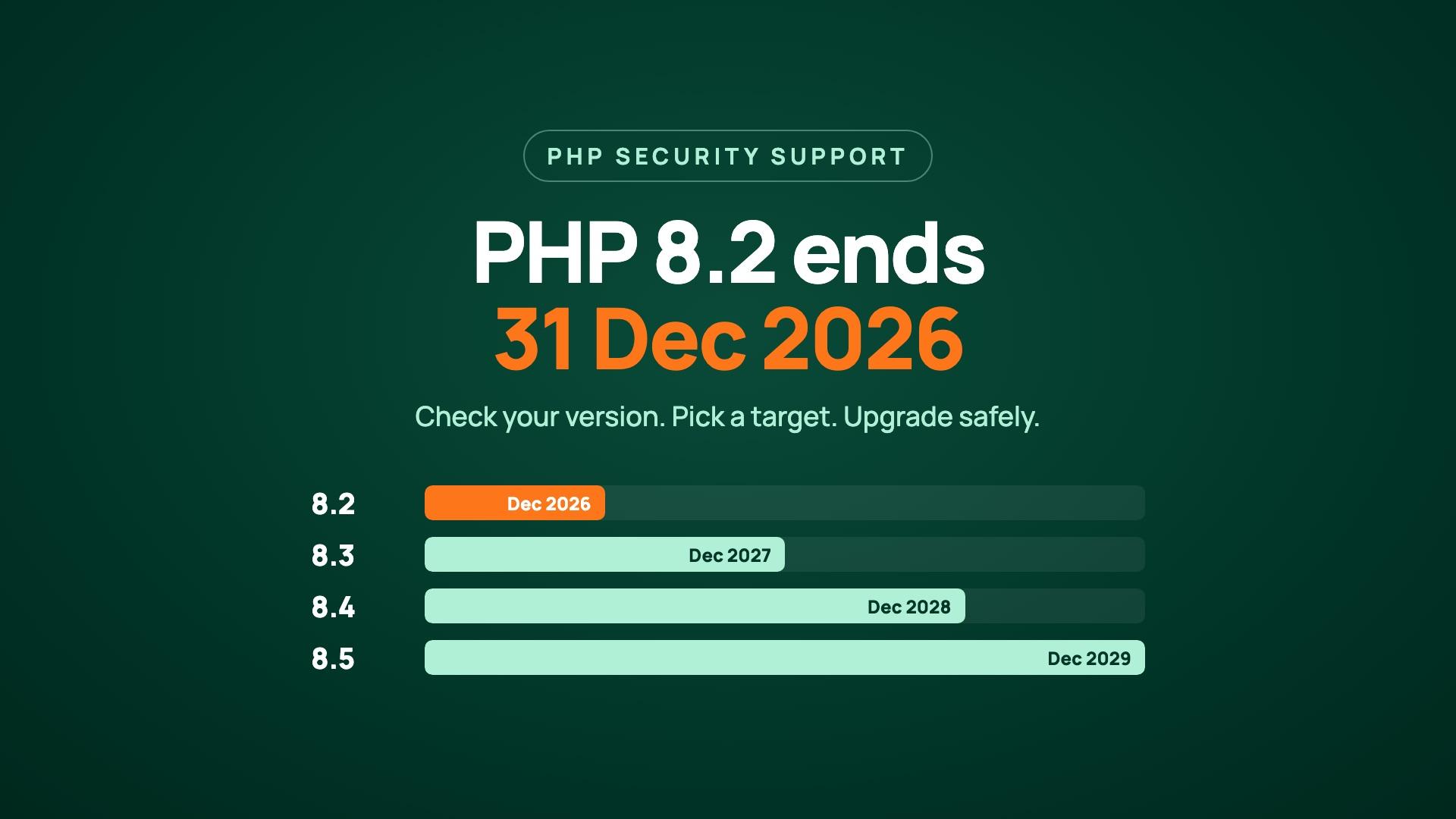
PHP 8.2 stops receiving security fixes from the PHP project on 31 December 2026. Sites running it will keep working, but any vulnerability found after that date stays unpatched upstream. The fix is to upgrade: PHP 8.4 is supported until 31 December 2028 and PHP 8.5 until 31 December 2029.
If your website, admin panel or app backend runs on PHP, this is worth an hour of your time now rather than a rushed weekend in January. Here's how to check where you stand and how to move without breaking anything.
What changes on 31 December 2026?
Nothing visible on the day. PHP 8.2 left active support on 31 December 2024 and has only received security fixes since then. On 31 December 2026 those stop too, according to the official PHP supported versions page.
The risk shows up later. In October 2026, PHP2Shell let attackers run code on unpatched PHP servers, and the fix shipped for every supported branch, including 8.2. The next bug like that will not get an 8.2 release.
How do I check which PHP version my site runs?
The version your web server uses is the one that matters, and it isn't always the one your terminal shows.
- On your own server: run
php -v, then check the FPM service your web server talks to, for examplephp-fpm8.2 -vorsystemctl list-units 'php*-fpm*'. Servers often have several versions installed side by side. - On WordPress: go to Tools, then Site Health, then the Info tab, and open the Server section.
- On shared or managed hosting: look for "PHP version" or "Select PHP version" in cPanel, Plesk or your host's dashboard. Check every site and subdomain, because each can be set separately.
- In a Docker setup: check the base image tag in your
Dockerfile, such asphp:8.2-fpm, and rebuild after you change it.
Which PHP version should I upgrade to?
For most sites, PHP 8.4 is the right target: it's mature, widely supported by frameworks and plugins, and receives security fixes until the end of 2028.
| Version | Active support ends | Security fixes end | Our view |
|---|---|---|---|
| PHP 8.2 | 31 Dec 2024 | 31 Dec 2026 | Move off it now |
| PHP 8.3 | 31 Dec 2025 | 31 Dec 2027 | Only buys one more year |
| PHP 8.4 | 31 Dec 2026 | 31 Dec 2028 | The default choice |
| PHP 8.5 | 31 Dec 2027 | 31 Dec 2029 | Good if all your dependencies support it |
Going straight to 8.3 is the smallest jump, but you'll repeat this exercise in a year. If your framework, plugins and libraries already support 8.4, skip 8.3.
How to upgrade from PHP 8.2 without breaking your site
Treat it like any other release: find what will break, fix it on a copy, then switch with a way back.
- List what runs on PHP. Websites, admin panels, APIs, cron jobs and queue workers. The forgotten cron job is usually the one that breaks.
- Check your dependencies. In a Composer project,
composer why-not php 8.4lists the packages that block the upgrade. On WordPress, check that your theme and each plugin are still maintained and list support for the new version. - Scan the code. PHPCompatibility for PHP_CodeSniffer flags code that won't run on the target version, and Rector can apply many of the fixes automatically.
- Upgrade a staging copy first. Same code, a recent copy of the data, the new PHP version. Turn on deprecation logging and click through sign-up, login, checkout and any admin screens.
- Switch production with a rollback ready. Install the new version alongside the old one, point the site at it, and keep the old FPM pool installed until you're sure. Restart every FPM service and worker, not just the web server.
- Watch the logs for a week. Deprecation warnings and fatal errors in rarely used pages show up after real users arrive.
What usually breaks between 8.2 and 8.4
- Removed extensions: PHP 8.4 moved IMAP, OCI8, PDO_OCI and Pspell out of the core distribution. If your app reads mailboxes or talks to Oracle, plan for that first.
- Old libraries pinned to old versions: an abandoned package or plugin that nobody has updated is the most common blocker, and the fix is often replacing it.
- New deprecations: 8.4 deprecates implicitly nullable parameters such as
function save(Order $order = null). They still run, but they fill your logs and will break in a future version.
The full list is in PHP's own migration guide for 8.4, and the 8.3 guide covers the step in between.
What if my Linux distribution or host still ships PHP 8.2?
Distributions such as Debian 12 ship PHP 8.2 and patch it under their own support policy, which can run past the PHP project's date. That only covers you if you install their packages and keep them updated, and it doesn't help when your framework or plugins drop 8.2.
Managed hosts handle it differently: some move sites to a newer version automatically, others keep old versions running and charge for extended support. Check your host's notice now, so the switch happens when you choose rather than when they do.
Need a hand?
Checking for runtimes past end of life is one of the first things on our first-48-hours takeover checklist. If you'd like someone to check your PHP setup and plan the upgrade, or you're building something new and want it on a version that's supported for years, we build and run backends and web applications and would be glad to help.