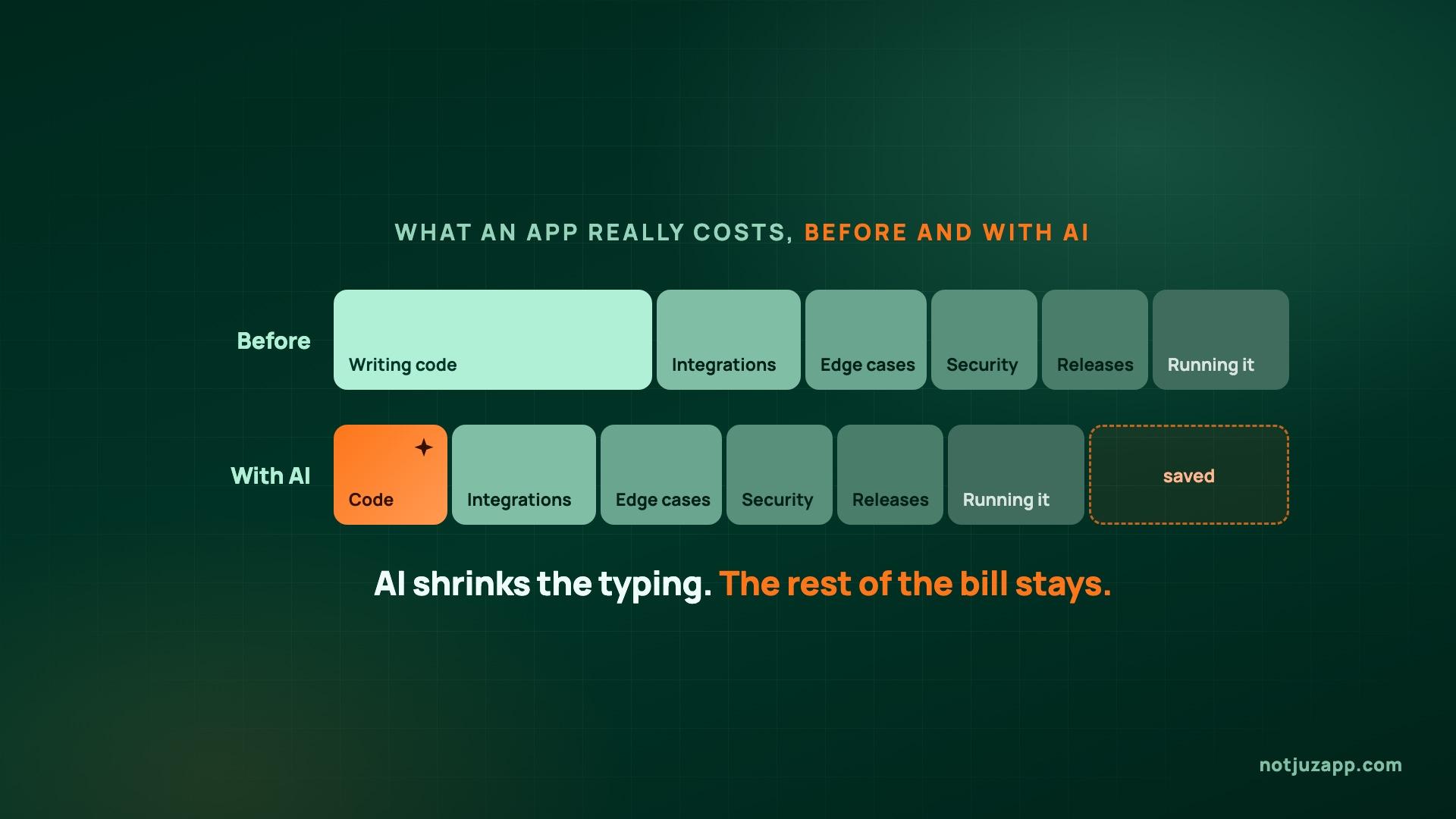
Founders ask us this almost every week: if we use AI to write code, shouldn't the app cost less? Sometimes it does. AI makes writing code faster. It doesn't make it any cheaper to be wrong in production, and most of what an app really costs comes from there.
Here's how we actually use it, what it changes about cost, and what to check if you've built something yourself with AI tools.
Where AI genuinely saves time
- Boilerplate: screens, API endpoints, data models and configuration. The work is well understood, and it's easy to check whether the result is right.
- Tests: AI is good at listing edge cases and writing the tests nobody enjoys writing. More tests are also what make it safe to accept faster changes.
- Reading unfamiliar code: getting up to speed on an inherited codebase, a new framework or a long crash log is much quicker with an assistant that can explain what it's looking at.
- Mechanical changes: renaming across hundreds of files, upgrading a library, moving to a new API version. Tedious for people, and quick to verify.
- First drafts: documentation, specs and migration plans that a person then corrects.
Where we don't let it decide on its own
- Payments: refunds, webhooks, retries and duplicate charges. Code that looks right and is subtly wrong costs real money.
- Authentication and permissions: who can see and change what. Mistakes here stay silent until someone finds them.
- Data migrations: anything that changes live data in a way you can't undo. We test on a copy and write the rollback first.
- Architecture and product calls: what to build, what to leave out, and which trade-offs the business can live with.
- Store releases: App Store and Google Play rules change often. Apps built with AI tools are now regularly rejected as "just a website in a wrapper", and fixing that needs real native features, not another prompt.
Our rule is simple: AI writes quickly, tests decide what ships, and a senior engineer reviews anything that touches money, access or data.
So what does it do to the cost?
- Prototypes and demos get much cheaper. If you need something clickable to show investors or test an idea, AI tools are a real advantage.
- Production apps get somewhat cheaper. Typing was never the expensive part. Integrations, edge cases, security, releases and keeping the app running are, and those shrink much less.
- Code nobody understands gets more expensive later. If an app was generated faster than anyone could review it, the cost turns up at the first serious bug or the first time a new developer takes over.
If someone quotes you far less because "AI does the coding", ask who reviews the payments, the permissions and the release process. That's where the time goes.
Built your app with AI tools? Check these five things
- Do you own the accounts? The Apple and Google developer accounts, the domain, the database and the code repository should all be in your company's name.
- Is there a real backend with access rules? Many AI-built apps talk straight to a database. Check that one user can't read another user's data.
- Are the secrets out of the app? Anything inside a mobile app or a web page should be treated as public, including API keys.
- Can you ship an update without the tool? If the build only works inside one platform, find out how you'd release a fix if you had to leave it.
- Is anything tested? Even a handful of tests on sign-up, login and payment will catch the worst regressions.
Starting something new?
Use AI where it's strong, and plan for the parts it isn't. We build new products with AI in the loop, add AI features to existing ones, and take over apps that have hit a wall, including ones built with AI tools. If you'd like an honest view of where AI will save you money on your project and where it won't, we'd be glad to talk.